
I’ve been backing up my Synology NAS to a Backblaze B2 bucket late 2021. I stayed in the free tier until I started backing up my photos and certain media files. It was a pretty cheap bill until the last several months when it crept up to $16. While this isn’t much, it’s still another monthly subscription that I’m trying to keep under control. It finally annoyed me enough to check my settings today.
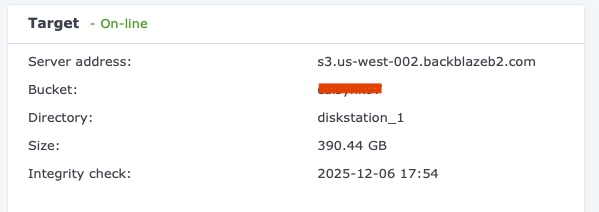
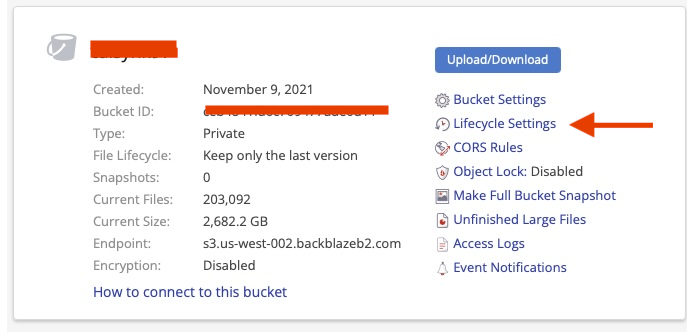
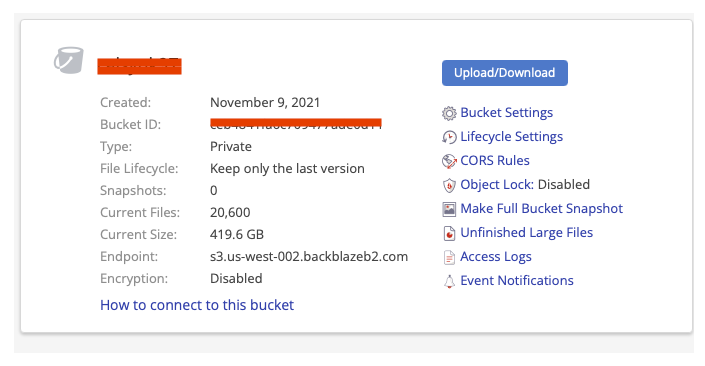
I discovered my bucket is currently 2.7 TB but my Synology only shows that I should be at 390.44 GB. That’s a huge difference.
The first thing I noticed is my bucket lifecycle settings were turned on. The default setting for all newly created buckets according to Backblaze is to keep all versions. At some point, I thought it was a good idea to have these set to keep the last 30 days. You can check yours by logging into Backblaze and clicking on the Lifecycle Settings for your bucket.
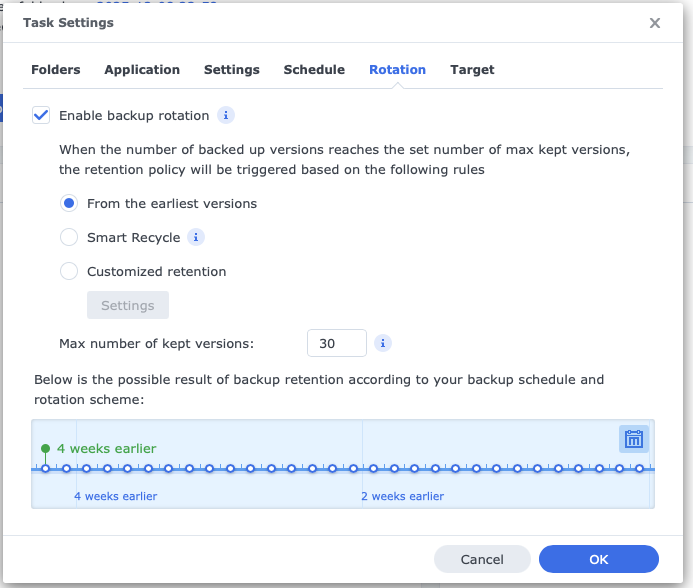
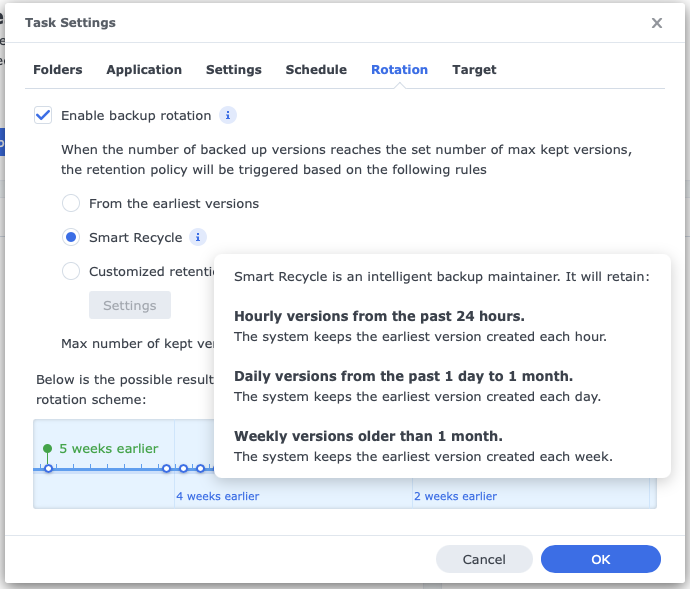
This doesn’t make much sense to me as HyperBackup is already set to keep the last 30 days of changes. So Backblaze is duplicating that…and then some.
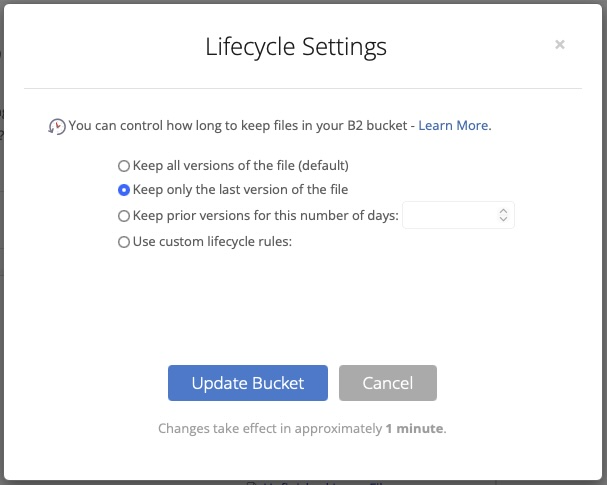
Changing this setting is easy – just set your lifecycle settings on Keep only the last version of this file and click Update Bucket.
Backblaze says the changes take effect after 1 minute, however I did not see my storage values change after several minutes. I checked back in roughly 48 hours due to my schedule and the size dropped to 419.6 GB. That’s more than 84% drop in storage requirements.
That’s a big change and worth checking. It’s enough for me to re-enable SmartRecycle and keep some additional versions. This is probably overkill for most home use but it gives me better piece of mind.
What are you doing for offsite backups?